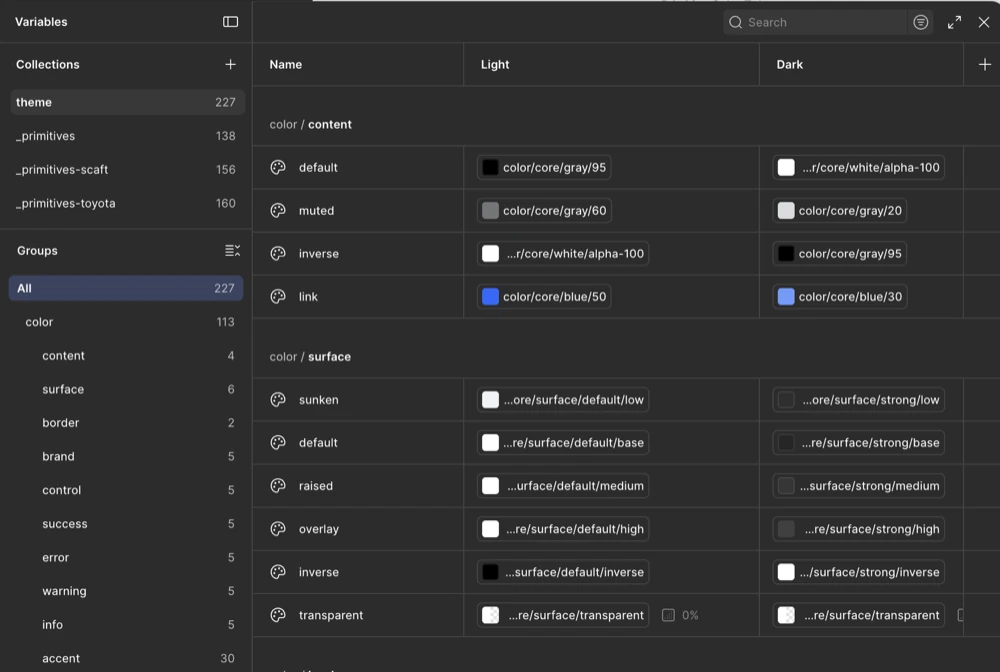
Building a multi‑brand token system
Led token architecture and Figma-to-code automation for Toyota’s PRIME design system, defining 680 primitive and theme tokens and 120 component tokens.
Senior Product DesignerRemote2022 to 2023
Campaign admins needed to sync donor data from ActBlue into Salesforce. Setup ran entirely through support tickets, and admins could not see what was syncing or why it failed.
I was the sole designer, embedded with product and engineering. I led a complete rebuild of the integration, from setup and configuration to sync visibility and error recovery.
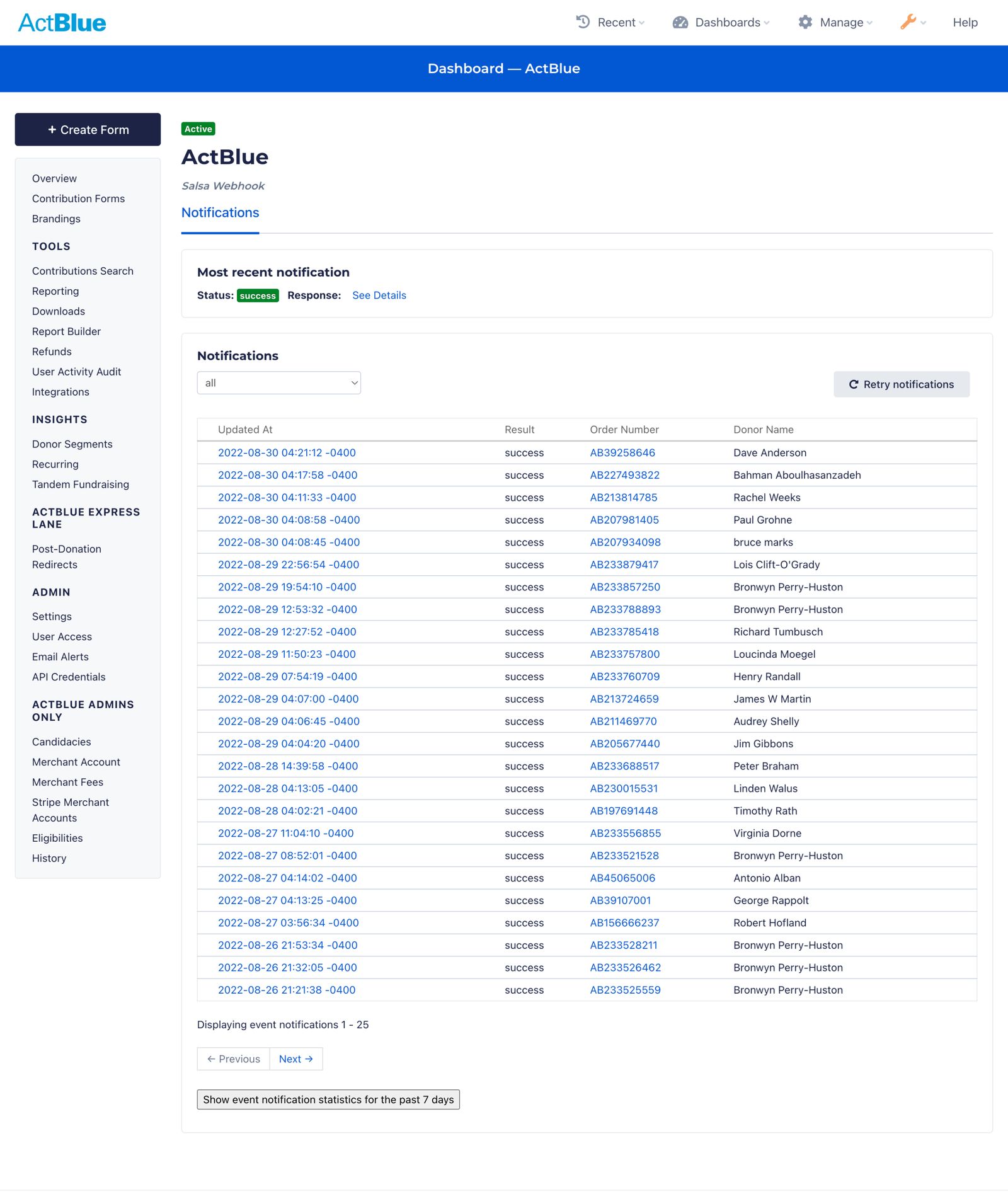
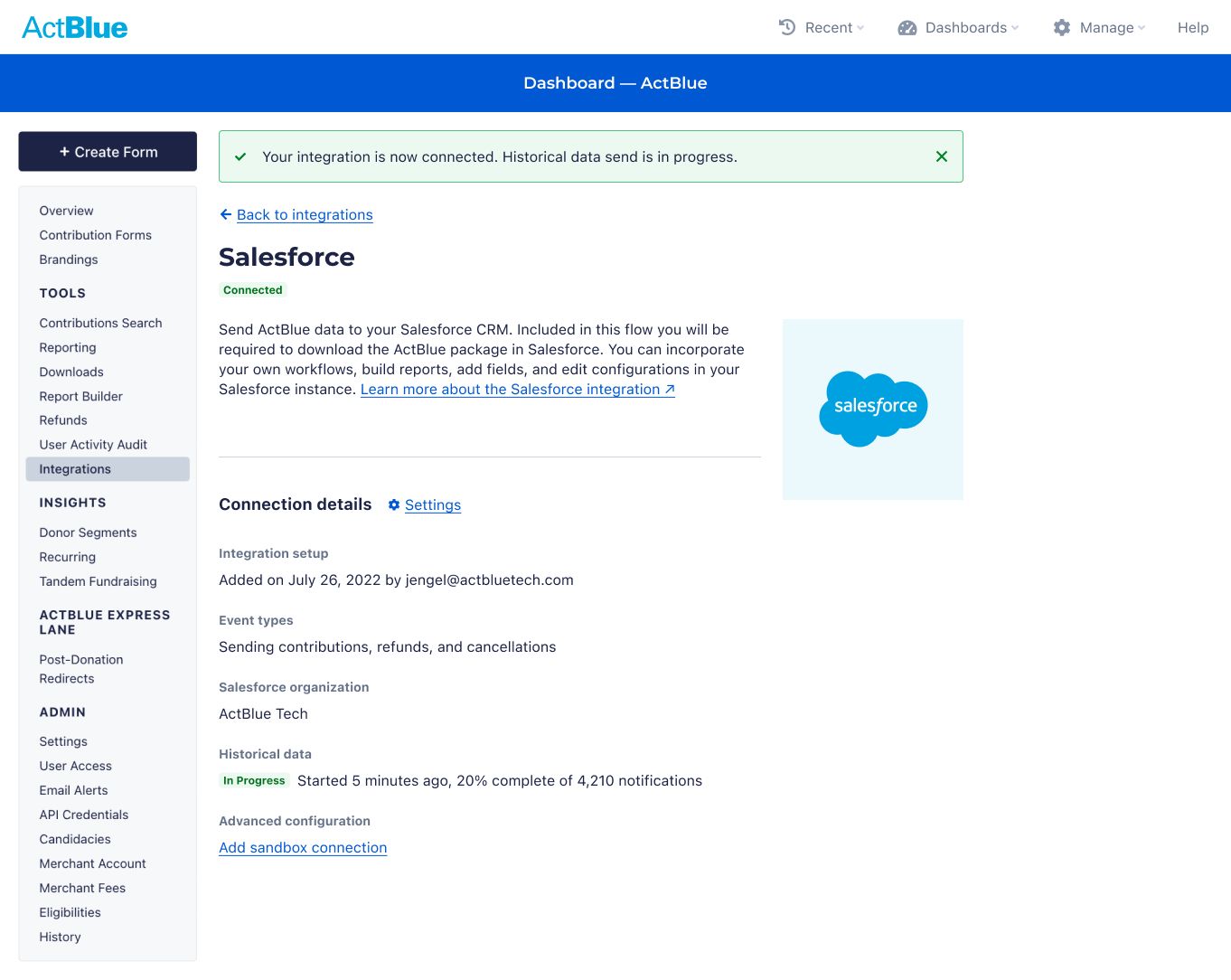
ActBlue is a fundraising platform for political campaigns and nonprofits. Admins sync donor data from ActBlue into Salesforce, their CRM. Those admins range from teams of one to presidential campaigns.
Most were not hired for technical work. In many cases a volunteer with limited time and context did the setup. The new experience had to work for all of them without overwhelming anyone.
Small mistakes could break the sync silently, and users had no way to recover. Most only learned of a problem when Salesforce was missing data.
I worked with product, support and implementation teams to find the problem. We reviewed past tickets, talked with support staff, walked through broken setups and mapped the full sync flow.
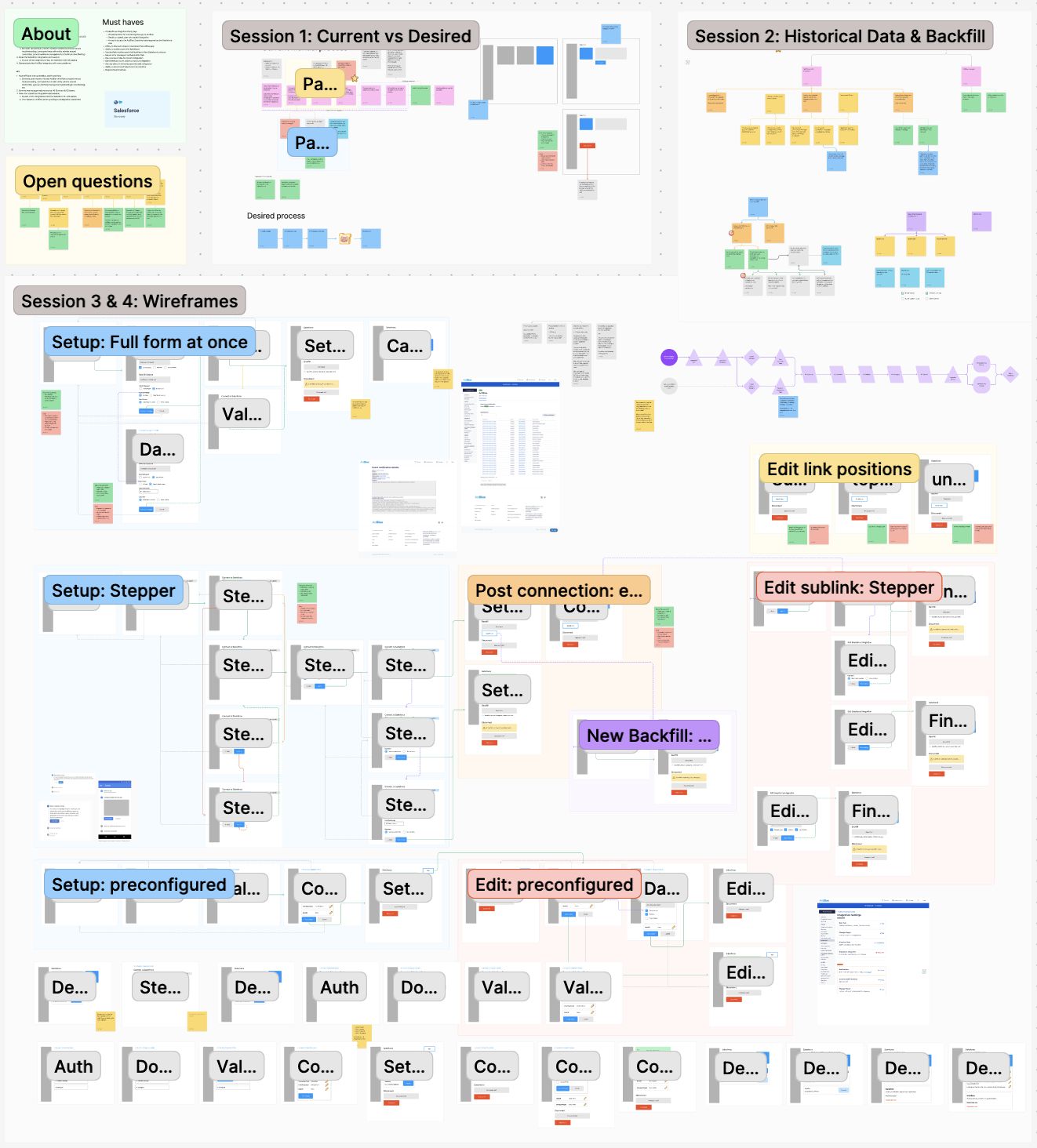
I led design for the full flow, from setup and configuration to sync visibility, error handling and long-term management. Early diagrams, flows and edge case maps let engineering plan the backend in parallel with design.
I designed step-by-step setup, clear feedback states and flexible UI patterns that work for teams of one and for presidential campaigns. I built them with ActBlue's existing design system, Blueprint, and contributed new patterns back to it.
I worked closely with the product manager and the engineering manager. We ran workshops and built the FigJam board together. I validated ideas and edge cases with engineers throughout. I handed off Figma prototypes and CSS samples, plus an annotated flow that supported QA.
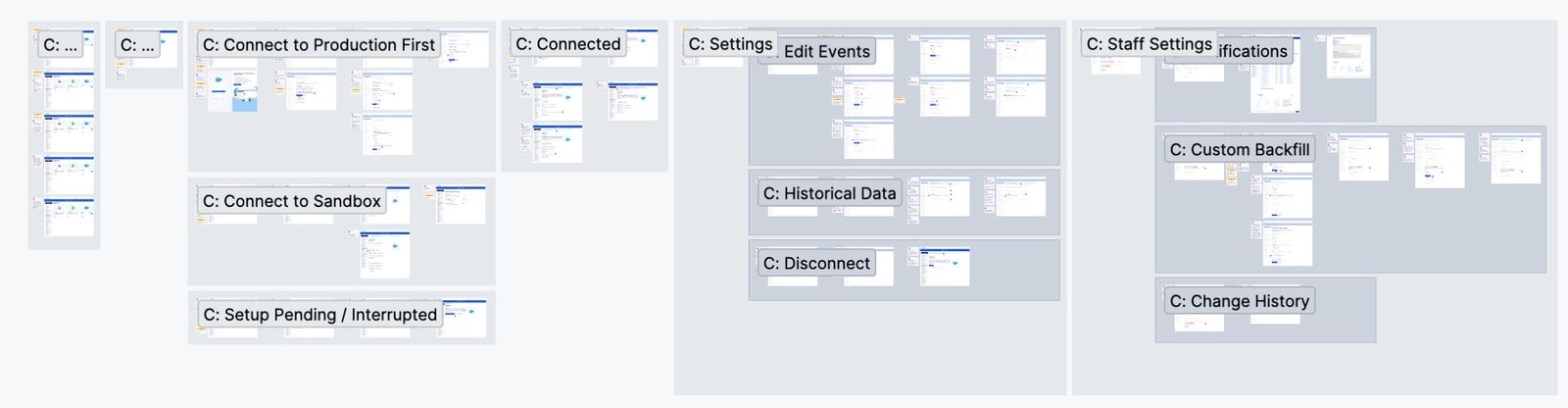
Admins could set up the integration on their own, see what was syncing and fix issues without going through support. Setup that once took days or weeks of back and forth with support, or never finished, now takes minutes. The only wait is the data sync, which depends on the volume of data.
Support teams saw a sharp drop in setup issues and manual intervention. The product manager estimated the savings at $1.5 million per year in reduced support costs. The patterns, flows and documentation from this work have since been reused for other integrations and internal tools.
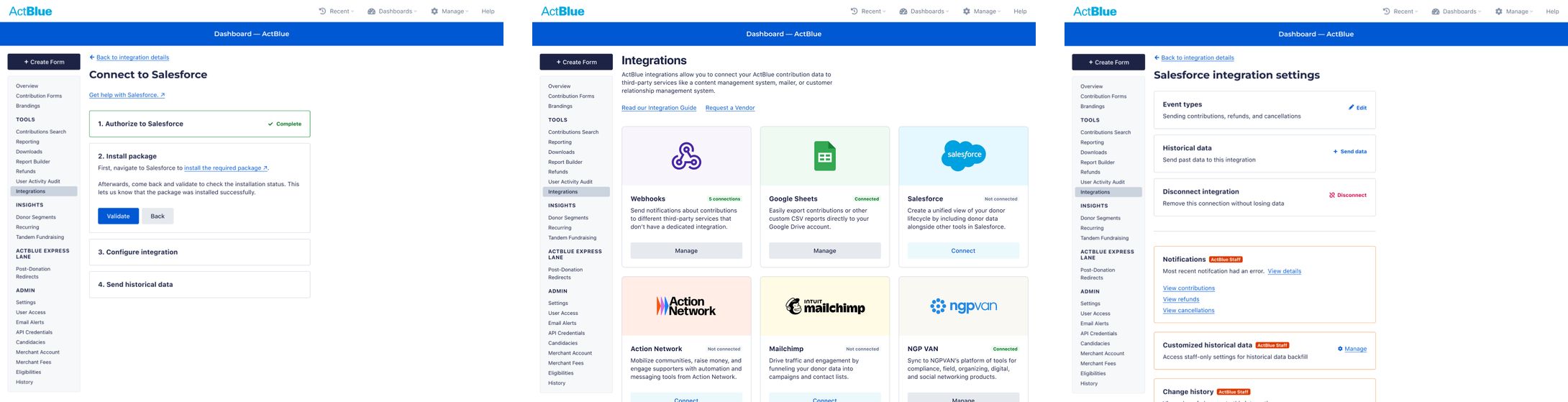
Time and a focus on a targeted MVP were the main constraints. Looking back, I would add or change four things:
I would add a dashboard for each integration that shows sync successes and failures. Admins could then diagnose problems and fix them without contacting support.
The Connected status is visually subtle. I would make it more prominent.
The full notification list from the earlier design moved to a future release. It gives admins a detailed record of every sync, and I would bring it back.
I would add a clear call to action for getting help. Some syncs will still fail and some admins will still need a person, so support should be easy to reach from the integration page.
Led token architecture and Figma-to-code automation for Toyota’s PRIME design system, defining 680 primitive and theme tokens and 120 component tokens.
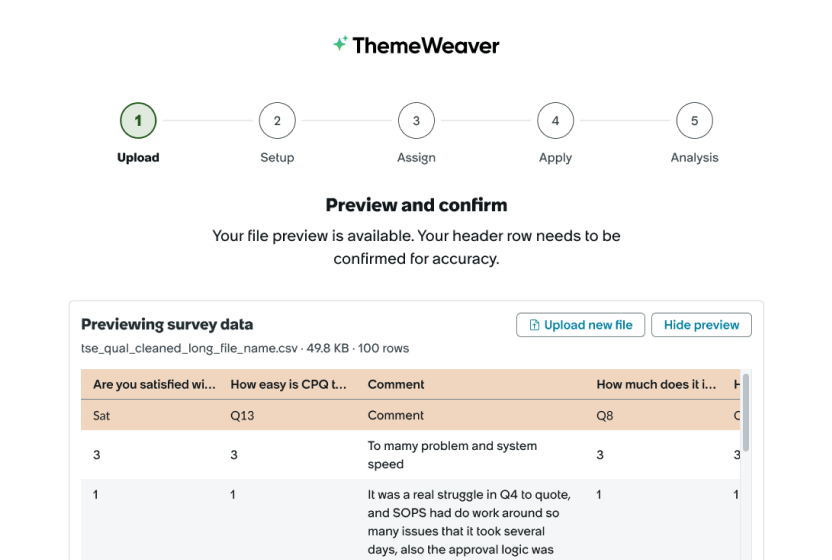
Shaped the experience of an internal AI tool that codes open-ended survey responses into themes. Coding by hand took 10+ hours per 100 responses.